
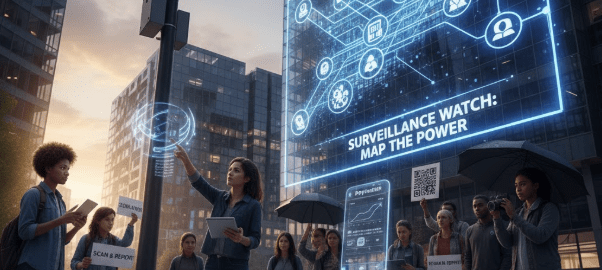
Jan. 9, 2026 /Mpelembe Media/ — This initiative, modeled on the Surveillance Watch concept, empowers citizens to transition from passive subjects of monitoring to active participants in privacy oversight. By leveraging a decentralized network of volunteers, the project creates a high-resolution, grassroots map of surveillance infrastructure—such as facial recognition cameras, license plate readers, and cell-site simulators. The framework addresses the inherent risks of community activism (such as data inaccuracy and volunteer safety)
through a rigorous technical ecosystem:
Standardized Collection: A structured submission process that prioritizes high-quality evidence and automatic metadata scrubbing to protect contributor anonymity.
Three-Tier Verification: A moderator-led workflow that cross-references hardware IDs, geospatial data, and visual evidence to ensure every entry is factually sound.
Ethical Guardrails: A strict Code of Conduct and Moderator Handbook designed to prevent doxing, protect bystander privacy, and maintain a focus on systemic power rather than individuals.
Sustainable Engagement: Professional communication templates and “gamified” volunteer paths that educate contributors, turning them into expert “civic scouts.”
By balancing the passion of grassroots activism with the discipline of professional intelligence gathering, this blueprint provides a scalable, transparent, and resilient model for defending human rights in an increasingly monitored world.
Community-led initiatives like Surveillance Watch represent a “bottom-up” approach to oversight. By leveraging the collective power of the public to monitor those who usually do the monitoring, these projects create a unique form of counter-surveillance.
However, relying on a distributed network of volunteers comes with specific trade-offs. Here is an elaboration on the pros and cons of this nature of activism:
The Pros: Strength in Numbers and Passion
Hyper-Local Insight: Community members often notice surveillance infrastructure—like a new “smart” streetlight or a license plate reader—long before a national NGO or a journalist would. This provides a level of granular detail that top-down organizations can’t match.
Rapid Response & Scalability: A community-driven model can scale globally without the need for a massive budget. If a new surveillance company emerges, hundreds of contributors can investigate different facets of the company simultaneously.
Democratic Accountability: It empowers citizens to move from being passive subjects of surveillance to active participants in privacy protection. This builds “civic muscle” and ensures the agenda is set by the people most affected, rather than by lobbyists or politicians.
Resistance to Institutional Pressure: Because these initiatives are decentralized, they are harder to shut down or “buy off.” There is no single headquarters to raid and no single CEO to intimidate.
The Cons: Reliability and Risk
Data Verification & Accuracy: Without a centralized vetting process, community submissions can vary in quality. Misidentifying technology or misinterpreting a company’s role can lead to “noise” in the data, which might undermine the project’s credibility.
Sustainability & “Volunteer Burnout”: Activism driven by passion is often subject to ebbs and flows. Maintaining a database requires long-term, tedious work that may drop off once the initial excitement of a campaign fades.
Legal and Physical Risks: Individuals documenting surveillance equipment or investigating shadowy tech firms may face legal threats (like SLAPP suits) or even physical risks. Unlike a major news outlet, a community initiative may not have a legal defense fund to protect its contributors.
Echo Chambers and Bias: Community-led projects can sometimes focus heavily on certain types of surveillance while overlooking others, depending on the specific interests or demographics of the volunteer base.
Summary Comparison
| Feature | Community-Led Activism | Institutional Oversight (NGOs/Gov) |
| Agility | Very High; reacts in real-time. | Slower; relies on formal processes. |
| Funding | Low/Crowdfunded; independent. | High; potentially tied to donors/state. |
| Credibility | Grassroots authenticity; variable data. | High professional standards; rigid. |
| Scope | Wide and granular; hyper-local. | Narrow and systemic; high-level. |
A Note on “The Transparency Paradox”: Community initiatives often force transparency upon secretive organizations. However, to stay effective, the activists themselves sometimes have to operate with a degree of anonymity to protect contributors from retaliation.
Would you like me to help you draft a set of “best practices” or a verification workflow for community-submitted surveillance data?
Establishing a robust verification workflow is essential to turning raw community observations into actionable, high-quality intelligence. Without a system to filter out errors or misinformation, the initiative risks its reputation.
Here is a proposed three-tier verification workflow designed for a community-driven surveillance watch project:
Phase 1: The Submission Gate (Standardization)
To ensure data is usable from the start, the submission process should be structured rather than free-form.
Mandatory Metadata: Require GPS coordinates, timestamps, and high-resolution photos.
Technical Categorization: Use dropdown menus for equipment types (e.g., “PTZ Camera,” “IMSI Catcher,” “ALPR”) to prevent naming inconsistencies.
Anonymity Options: Provide cryptographic tools (like PGP or secure upload portals) to protect the identity of the submitter from the outset.
Phase 2: Peer Review & Technical Validation
Once submitted, the data should enter a “sandbox” for community or expert vetting.
Crowdsourced Cross-Referencing: If three independent users identify the same piece of hardware, the confidence score increases.
Technical Analysis: Specialists can examine photos to identify specific hardware models or FCC ID numbers, which can then be linked back to government procurement records or corporate catalogs.
Geospatial Verification: Volunteers use satellite imagery (like Google Street View or Mapillary) to confirm the physical presence of the reported device.
Phase 3: Final Integration & Impact
Once verified, the data is moved from the “Pending” queue to the “Live” public database.
Confidence Ratings: Label each entry with a score (e.g., “Confirmed,” “Probable,” or “Unverified”) so users know the reliability of the information.
Automated Alerts: Trigger notifications for local civil rights groups when new high-impact surveillance (like facial recognition) is confirmed in their area.
Audit Trail: Maintain a transparent log of who edited the entry and what evidence was used to verify it.
Implementation Table: Tools for Success
| Step | Suggested Tool | Purpose |
| Data Collection | ODK (Open Data Kit) | Build mobile-friendly, offline-capable forms. |
| Communication | Matrix or Signal | Secure, encrypted coordination for reviewers. |
| Mapping | OpenStreetMap (OSM) | A flexible, community-owned map layer. |
| Evidence Storage | IPFS | Decentralized storage to prevent data takedowns. |
Pro-Tip: Gamifying the process—by awarding digital badges or “trust points” to contributors who consistently provide accurate data—can significantly increase long-term volunteer retention and data quality.
A Contributor Code of Conduct is the backbone of an ethical monitoring project. It ensures that while you are “watching the watchers,” the community does not inadvertently mirror the harmful behaviors it seeks to expose, such as doxing individuals or violating the privacy of bystanders.
Here is a draft framework you can adapt:
Contributor Code of Conduct: Surveillance Watch
1. Purpose & Core Principles
Our goal is to document systems of power, not private individuals. We prioritize:
Transparency: Shining a light on state and corporate surveillance.
Safety: Protecting the physical and digital security of our contributors.
Accuracy: Committing to factual reporting over sensationalism.
2. Ethical Data Collection
Focus on Infrastructure: Document cameras, sensors, and software platforms. Do not record or upload images of members of the public, protesters, or low-level employees without their explicit consent.
No Doxing: We do not publish the home addresses or private lives of individuals working for surveillance companies. Focus on the entity and its impact.
Public Property Only: Observations should be made from public spaces. Do not trespass on private property to obtain data.
3. Verification & Honesty
Report Uncertainty: If you aren’t 100% sure about a hardware model, mark it as “Unidentified.” Guesses passed off as facts hurt the movement’s credibility.
Conflict of Interest: Disclose if you have a professional tie to a company being documented.
4. Community Safety & Security
Digital Hygiene: We encourage the use of VPNs, encrypted messaging, and the removal of EXIF metadata (GPS/Camera tags) from photos before sharing if you wish to remain anonymous.
Non-Escalation: If approached by law enforcement or private security while documenting equipment, prioritize your physical safety. Do not engage in hostile confrontations.
5. Prohibited Conduct
The following actions will result in an immediate ban from the initiative:
Using the platform to harass or stalk individuals.
Intentionally submitting “honeypot” or fake data to mislead the community.
Promoting hate speech or discrimination within community forums.
How to Handle Violations
To keep the project healthy, we recommend a “Three-Tier Response” to conduct violations:
Notice: A private correction for minor formatting or technical errors.
Warning: For first-time ethical slips (e.g., forgetting to blur a bystander’s face).
Removal: For malicious intent or repeated violations of the “No Doxing” rule.
This guide is designed for community members who want to safely identify and document surveillance infrastructure. The goal is to provide high-quality data for the project while minimizing personal risk.
Safety First: The “Invisible Observer”
Before you start, remember that your physical safety is the priority.
The “Tourist” Look: If you are documenting equipment in public, blend in. Carrying a professional camera can draw attention; using a smartphone to “take a selfie” or “check a map” while actually snapping a photo of a sensor is often more discreet.
Avoid Restricted Areas: Never climb fences or enter “Authorized Personnel Only” zones. Most surveillance is visible from public sidewalks or roads.
Digital Trace: Before uploading, use a tool like ExifCleaner to remove GPS tags and device info from your photos so the data cannot be traced back to your phone.
Hardware Identification Guide
Look for these common types of surveillance technology:
A. Automated License Plate Readers (ALPRs)
Appearance: Small, rectangular boxes often mounted in pairs or triplets on streetlights, overpasses, or police cars. They usually have a distinctive black glass face (infrared filter) next to a standard lens.
What to Look For: Infrared “glow” (sometimes visible through a phone camera at night) and high-angle positioning aimed at traffic lanes.
B. “Stingrays” (Cell-Site Simulators)
Appearance: These are harder to spot because they are often hidden in “ghost vans,” SUVs, or even backpacks. However, fixed versions can look like small, unbranded cellular antennas on top of buildings or utility poles.
Detection: Use the “Rayhunter” (by EFF) or “SnoopSnitch” apps. These tools look for anomalies in mobile networks, such as towers that don’t have a valid ID or that suddenly drop your connection from 4G/5G to 2G.
C. Pan-Tilt-Zoom (PTZ) Cameras
Appearance: Large “dome” or “globe” shaped cameras.
The Tell: If the camera is moving or rotating without a human present, it likely has Auto-Tracking enabled. Look for high-visibility spots like the corners of government buildings or transit hubs.
D. ShotSpotter (Acoustic Sensors)
Appearance: Small gray or black boxes, often with a visible “fin” or antenna, mounted high on utility poles in urban areas.
Purpose: These are microphones designed to detect gunshots, but they are controversial because they can also record ambient conversations.
How to Document Correctly
A high-quality submission includes three specific pieces of evidence:
The Context Shot: A wide photo showing where the device is located (e.g., “Northwest corner of 5th and Main”).
The Detail Shot: A close-up of the hardware. Try to find a serial number, FCC ID, or manufacturer logo (common ones include Hikvision, Axis, or Motorola/Avigilon).
The “Signs”: Capture photos of any nearby signage. In many jurisdictions, law enforcement is legally required to post signs if they are using certain types of surveillance (though they often don’t).
Quick-Reference Table
| Technology | Location | Identification Tip |
| ALPR | Overpasses/Intersections | Small rectangular boxes, black glass face. |
| Facial Recognition | Transit Hubs/Stadiums | High-res cameras at eye-level or “choke points.” |
| Cell Simulator | Near Protests/Buildings | Network drops to 2G; “ghost” towers on apps. |
| Acoustic Sensor | Utility Poles | Small gray boxes with stubby antennas. |
To make data entry as seamless as possible for your volunteers, the submission form should be intuitive while ensuring no critical data points are missed. A structured form reduces the “clean-up” work for your verification team.
Here is a template designed for a mobile-first web form or a dedicated app.
Surveillance Watch: Submission Template
Section 1: Location & Time
-
Device Location: (Auto-populate via GPS or manual address entry)
-
City/Neighborhood: ____________________
-
Time of Observation: [ HH : MM ] [ DD / MM / YYYY ]
-
Placement: * [ ] Utility Pole
-
[ ] Building Facade
-
[ ] Vehicle (Mark/Model if known: ________)
-
[ ] Overpass/Traffic Light
-
Section 2: Technical Details
-
Technology Category:
-
( ) Camera (Fixed)
-
( ) Camera (PTZ/Dome)
-
( ) License Plate Reader (ALPR)
-
( ) Acoustic/Gunshot Sensor
-
( ) IMSI Catcher / Cell Simulator
-
( ) Other: ____________________
-
-
Estimated Quantity: (e.g., “3 units on one bracket”)
-
Visible Branding/Labels: (Look for logos like Axis, Hanwha, Flir, Motorola)
-
FCC ID / Serial Number: (If visible through zoom lens)
Section 3: Visual Evidence
Tip: Ensure no faces or license plates of bystanders are visible in your photos.
-
[ Upload Button ] Wide Angle Shot (Context of the area)
-
[ Upload Button ] Close-up Shot (Focus on the hardware/wiring)
-
[ Upload Button ] Supporting Document (Photo of nearby signage or permits)
Section 4: Privacy & Metadata
-
Contributor Status:
-
( ) Submit Anonymously (Removes all account links)
-
( ) Credited Contribution (Displays your username)
-
-
Metadata Scrubbing:
-
[x] Automatic: Strip GPS and device EXIF data from images before upload. (Recommended)
-
Logic Workflow for the Form
To prevent “bad data,” you can build basic logic into the digital version of this form:
| If User Selects… | Then Show… |
| “Vehicle” | A field for “Permanent vs. Temporary” placement. |
| “ALPR” | A prompt to check if it’s aimed at a specific lane of traffic. |
| “Cell Simulator” | A prompt to upload a screenshot of network signal anomalies. |
To maintain a high-integrity database, your backend moderators need a standardized way to judge submissions. This checklist ensures that every entry in the Surveillance Watch database meets a consistent “Gold Standard” before it goes live.
Moderator Verification Checklist
Tier 1: Preliminary Scrub (Integrity Check)
-
[ ] Privacy Compliance: Does the image contain faces of bystanders, children, or protesters?
-
Action: If yes, blur the faces using an internal tool or reject/request a crop.
-
-
[ ] Metadata Check: Has the EXIF data been successfully stripped? (Ensure no contributor GPS/device footprints remain).
-
[ ] Duplicate Check: Is this device already in the database?
-
Action: If it’s a duplicate, merge the new photos into the existing entry to show “active status” over time.
-
Tier 2: Technical Validation (The “What”)
-
[ ] Visual Match: Does the photo actually show the technology selected by the user? (e.g., verifying a user didn’t mistake a 5G small cell for an IMSI catcher).
-
[ ] Brand/Model Identification: Can a manufacturer logo or FCC ID be discerned via zoom?
-
Expert Step: Use a reverse image search (or an internal hardware library) to confirm the model’s capabilities (e.g., “Does this Axis model support onboard facial recognition?”).
-
-
[ ] Ownership Attribution: Is the device on a government building (Police/State) or private property (Retailer/Bank)?
Tier 3: Geospatial Confirmation (The “Where”)
-
[ ] Coordinate Cross-Reference: Does the GPS/Address provided match the background landmarks in the “Wide Angle” photo?
-
[ ] Street View Sync: Does the mounting hardware (brackets, wiring) appear on recent satellite or street-level imagery?
-
Note: If it’s not on Google Street View, it may be a “new installation,” which increases the report’s priority.
-
Confidence Rating System
Moderators should assign a final score to each entry:
| Rating | Criteria | Visibility on Map |
| Confirmed (Level 3) | High-res photo + FCC ID + confirmed location. | Solid Icon |
| Probable (Level 2) | Clear photo + location match, but model is “generic.” | Faded Icon |
| Unverified (Level 1) | User report only; no clear photo or conflicting location data. | Hidden/Review Only |
Moderator “Red Flags”
If a submission meets these criteria, it should be flagged for senior review or rejection:
-
The “Honeypot”: Highly professional photos of “secret” tech that seem too easy to find (potential misinformation).
-
Harassment: Photos that focus more on a specific person (a guard or technician) than the technology itself.
-
Old Data: Photos showing cars or clothing styles from several years ago (check for “stale” reporting).
Final Response Workflow
Once the checklist is complete, the moderator takes one of three actions:
Publish: Data is live and alerts are sent to local subscribers.
Request Info: Send a secure ping to the user: “Great find! Can you get a shot of the manufacturer label on the underside?”
Archive: Store as “Noise” if the device is not surveillance-related (e.g., a simple motion-sensor light).
The website SurveillanceWatch.io is a perfect real-world application of the principles we’ve discussed. It functions as an interactive, data-driven “map of the surveillance-industrial complex,” moving beyond just physical camera locations to track the companies, funders, and government connections behind the technology.
Based on the site’s current structure and the framework we developed, here is how the “Vigilance Blueprint” applies specifically to this platform:
Visualization of Global Power (The “Who”)
While our previous discussion focused on physical hardware (the “What”), Surveillance Watch focuses on the Entities:
The Supply Chain: It maps the “Green Arcs” (tech suppliers) to show how software moves from a developer to a government.
The Money Trail: It identifies “Blue Arcs” (funding sources), holding venture capital and parent companies accountable for the tools they build.
Targeting: It visualizes “Orange Arcs,” showing which regions are most affected by specific surveillance technologies.
Integration with the “Submission Workflow”
The site features a “Submit” function that aligns with our Submission Template. For a platform like this to thrive, community-led data must bridge the gap between “rumor” and “evidence.”
Company Dossiers: Contributors can submit names of new startups or shadowy tech firms.
Document Leaks: Community members often upload public procurement records or brochures found at defense expos—this is where the Verification Checklist becomes crucial to confirm the legitimacy of the documents.
Strengthening the “Community-Driven” Aspect
To enhance the current SurveillanceWatch.io model, the community can add a “Ground Truth” layer:
Mapping the Deployments: While the site currently tracks who sells the tech, a community-led branch could track where that specific tech is physically deployed (e.g., “Company X sells facial recognition, and here is a photo of it being used at this specific airport”).
Impact Reporting: Allowing community members to submit stories or evidence of how these tracked entities affect human rights on the ground.
Summary of Alignment
| SurveillanceWatch.io Feature | Our “Blueprint” Counterpart |
| Interactive Map | Geospatial Confirmation & Visual Context |
| Funding & Affiliations | Tier 2 Technical & Corporate Validation |
| Submit Feature | Structured Submission Gate & Metadata Scrubbing |
| API & Data Openness | Democratic Accountability & Scalability |
How you can use this:
If you are involved with or inspired by this project, you could use the Moderator Handbook and Contributor Code of Conduct we drafted to help them scale their volunteer base. It ensures that as more people join to “expose the entities,” the data remains legally defensible and ethically sound.